Wobbles like a boat
The glove hangs from its fingertip and sways as you move, then settles. The click point never moves, so you're always pixel-precise.
 Glovey
 swaps your Mac's arrow for a bouncy white glove. It wobbles when you move, presses when you click, and shows up in every screen share, recording and demo.
👀 Look at your cursor. You're already wearing it.
This is the real Glovey menu. Flip the switches and your cursor on this page changes too.
✏️ Text field
🎨 Crosshair canvas. Click to doodle.
✊ Drag the sticker
🔍 Click to zoom

↘️ Resize the box
Psst. Click really, really fast. Or leave your mouse alone for a bit.
The glove hangs from its fingertip and sways as you move, then settles. The click point never moves, so you're always pixel-precise.
Satisfying press and release sounds. Choose a mouse click, a keyboard key, a button, or bring your own sound file.
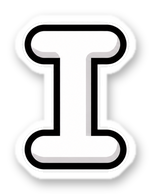
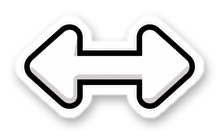
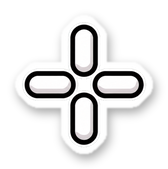

Text beams, resize arrows, crosshairs and magnifiers all get the same hand-drawn look. Prefer just the glove? One switch.
Zoom, Meet, Teams, QuickTime, OBS. Share your whole screen and everyone sees the glove. Your audience will never lose your cursor again.
No windows, no fuss. Toggle it anywhere with ⌃⌥G and tweak size, wobble and sound from the menu bar.
Written in Swift for Apple silicon and Intel. No accounts, no tracking, no internet needed.
Glovey is almost ready. It's coming soon for macOS 14 Sonoma and later.
Coming soonYes. Share your entire screen (not a single window) in Zoom, Google Meet, Teams, Slack or any recorder and the glove is right there.
Nope. Glovey is a tiny native app that draws a single image at your display's refresh rate.
Press ⌃⌥G anywhere, or use the switch at the top of the menu. Your normal cursor comes right back.
Any Mac with macOS 14 Sonoma or later, on Apple silicon or Intel.
No. Glovey has no accounts, no analytics and never talks to the internet.